
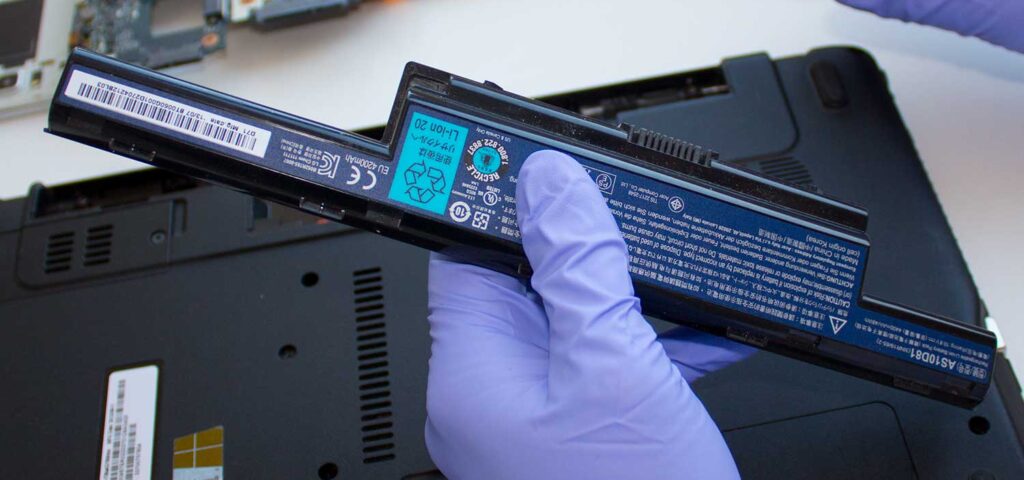
Laptop batteries are considered serviceable, consumable, or “wear” items. Because they are designed to degrade over time—typically lasting 300 to 1,000 charge cycles—they are intended to be replaced when their ability to hold a charge diminishes.
Here is a breakdown of the serviceability of laptop batteries:
1. Types of Serviceable Batteries
- External/Removable Batteries: Common in older or rugged laptops, these can be easily removed by sliding a latch without tools.
- Internal Batteries: Standard in most modern thin-and-light laptops and MacBooks, these are located inside the casing. While they require tools (usually a screwdriver) to access, they are still considered a replaceable service part.
2. Replacement and Maintenance
- DIY Replacement: In most cases, you can replace the battery yourself by ordering a new, compatible pack, which is often a cost-effective way to restore functionality.
- Professional Servicing: If the battery is difficult to access, or if it is swollen, it should be serviced by a trained technician to avoid damaging the laptop or causing a safety hazard.
- Reconditioning: Some specialists can “recondition” or rebuild battery packs by replacing the internal cells and resetting the controller, though this is often more expensive or less efficient than replacing the entire unit.
3. Signs of Needed Service
- Decreased Runtime: The battery drains much faster than it used to.
- “Replace Soon” Alerts: The operating system (Windows/macOS) provides warnings based on battery health reports.
- Physical Damage: The battery appears swollen or warped, often causing the trackpad or casing to lift.
- Sudden Shutdowns: The laptop turns off unexpectedly, even when the battery is not showing zero percent.
4. Important Precautions
- Disposal: Old laptop batteries (Lithium-ion) should never be thrown in household waste. They must be recycled at authorized electronics, computer stores, or specialized recycling centers.
- Avoid Substandard Parts: Always use high-quality or OEM (Original Equipment Manufacturer) batteries to avoid issues with compatibility or overheating.
- Swollen Battery Danger: A swollen battery is volatile; do not continue to use it or charge it
Our prices
Pricing details for our services
| # | Service | Price | Features |
|---|---|---|---|
| 1 | Dust cleaning and paste replacement | £20 | Remove dust from inside computer and replace thermal grease to CPU |
| 2 | Standard computer diagnostics | FREE | We offer a free diagnostic service |
| 3 | Virus scan and antivirus installation | £40 | Virus and Malware scan, update or install Antivirus software |
| 4 | Data recovery | From £50 | We offer a data recovery service |
Unable to work? Your computer freezes?
We’ll help you get back to work. Fast and Qualitatively.