Opening up a desktop PC for the first time can be daunting — it is a lot of components crammed into a small space. Here is what each part actually does, in plain English.
Case (tower)
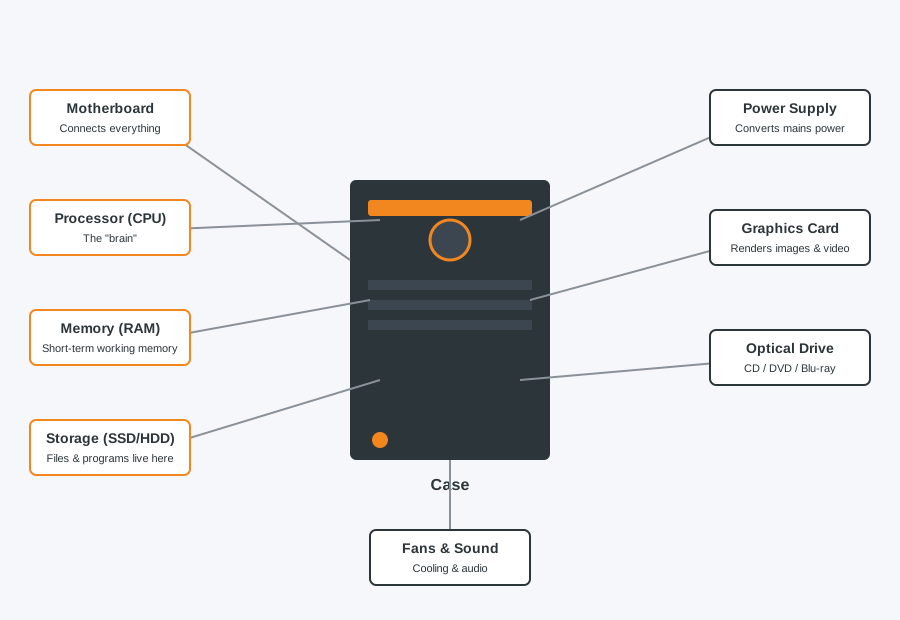
The metal or plastic shell that houses and protects everything else, and manages airflow to keep components cool.
Power supply unit (PSU) and fans
The PSU converts mains electricity into the different voltages each component needs. Fans, both in the PSU and mounted separately in the case, move air through to stop things overheating.
Motherboard
The large circuit board that everything else plugs into. It is effectively the nervous system of the PC, letting every component communicate with each other.
Processor (CPU)
The main "brain" of the computer, carrying out calculations and instructions. It sits in a socket on the motherboard and usually has its own cooler on top.
Memory (RAM)
Short-term working memory the CPU uses to keep currently active programs and data close at hand. Unlike storage, everything in RAM clears when the PC is switched off — more RAM generally means smoother multitasking.
Storage (hard drive or SSD)
Where your files, programs and operating system live permanently, even when the PC is off. Modern PCs use SSDs, which are much faster than older mechanical hard drives.
Graphics card
Handles rendering images and video for your display. Many PCs use graphics built into the CPU, but a dedicated graphics card is needed for gaming, video editing, or serious creative work.
Optical drive
Reads and writes CDs, DVDs or Blu-rays. Increasingly rare in new builds since most software and media is now downloaded, but still useful for installing from physical discs or playing older media.
Sound card
Handles audio output and input. Most motherboards have this built in to a good enough standard for everyday use; a separate sound card is only really needed for high-end audio production.
Thinking about a new build or an upgrade?
If you would like advice on what to upgrade first, or want a custom build put together, we are happy to talk through what makes sense for your budget and how you use your PC.
Computer Repair Bolton
07538 513 916
support@computer-repair-bolton.co.uk