If you have ever set up email on a new device and been asked to choose between IMAP and POP3, the difference matters more than it might seem — it decides whether your emails follow you across every device or stay tied to just one.
What is IMAP?
IMAP (Internet Message Access Protocol) keeps your emails stored on the mail server and simply shows them to whichever device you check them on. Read an email on your phone, and it shows as read on your laptop too. Delete it on one device, and it disappears from all of them. This is the standard choice for anyone who checks email on more than one device.
What is POP3?
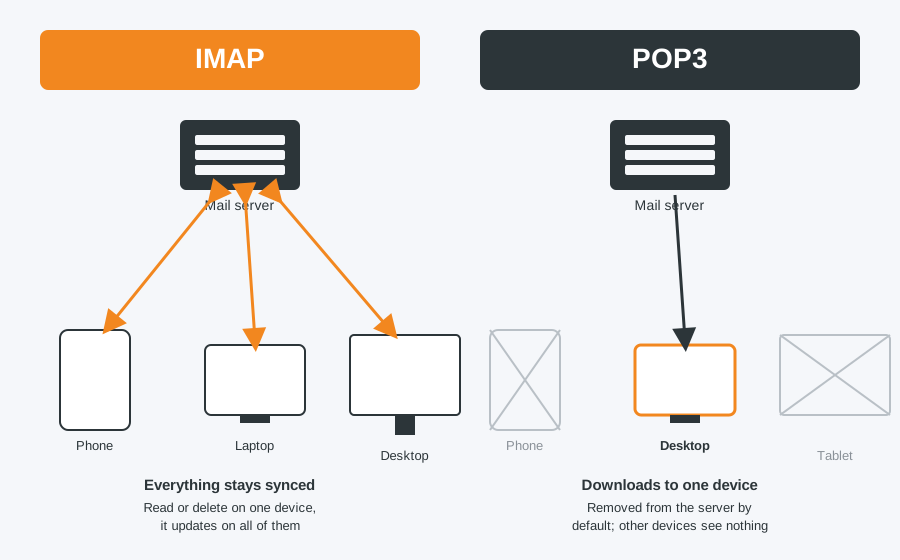
POP3 (Post Office Protocol) downloads emails from the server onto a single device and, by default, removes them from the server afterwards. It was designed for a time when people checked email from one computer only. Emails downloaded to your desktop will not appear on your phone, and vice versa, unless you specifically configure it to leave a copy on the server.
Side-by-side comparison
| IMAP | POP3 | |
|---|---|---|
| Best for | Multiple devices (phone, laptop, tablet) | A single device only |
| Emails stored | On the server, synced everywhere | Downloaded locally, usually removed from server |
| Delete on one device | Deletes everywhere | Only affects that device |
| Works offline | Limited — needs a connection to sync | Yes, once downloaded |
| Server storage used | Ongoing, as emails stay on the server | Minimal, since emails are removed after download |
Which should you choose?
For almost everyone in 2026, IMAP is the right choice — it is what Gmail, Outlook and most modern email providers default to, and it means your inbox looks the same whichever device you pick up. POP3 still has a niche use if you specifically want a local, offline archive on one machine and do not want it synced anywhere else, but for most people it causes more confusion than it solves.
Email set up wrong across your devices? We can help
If your emails are not syncing properly, or you are missing messages on one device that appear on another, it is often a mismatched IMAP/POP3 setup. We can get it configured correctly across all your devices.
Computer Repair Bolton
07538 513 916
support@computer-repair-bolton.co.uk