Skip to navigation Skip to content
  • My account
  • Checkout
  • suuport@computer-repair-bolton.co.uk
  • Facebook
  • Instagram
  • YouTube

Computer Repair Bolton

Affordable Repairs. Honest Service. Real Results

  • Home
    • Home 1
  • About Us
    • Privacy Policy
    • Refund and Returns Policy
  • Services
    • All Services
    • Computer repair
    • Battery replacement
    • Data recovery
    • Virus protection
  • Shop
    • Cart
  • PCBuilder
  • Blog
  • Contacts
    • Contact Us 1

Call us

+44-07538513916

Call us for enquiry

Back 30 Church Rd
Bolton, BL1 6HE

Mon-Fri 8:00-16:30
Sat-Sun - closed

Computer Repair Bolton

Affordable Repairs. Honest Service. Real Results

Call us

+44-07538513916

Call us for enquiry

Back 30 Church Rd
Bolton, BL1 6HE

Mon-Fri 8:00-16:30
Sat-Sun - closed

  • Home
    • Home 1
  • About Us
    • Privacy Policy
    • Refund and Returns Policy
  • Services
    • All Services
    • Computer repair
    • Battery replacement
    • Data recovery
    • Virus protection
  • Shop
    • Cart
  • PCBuilder
  • Blog
  • Contacts
    • Contact Us 1

Tag: laptop

Computer Repair Bolton / Blog
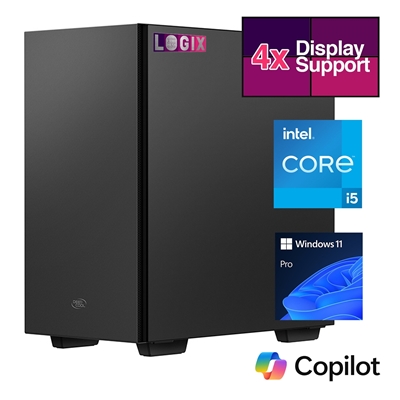
gaming PC
28 Apr

Why You Should Buy Your Next PC from a Local Computer Shop

Personalized Service, Better Value, and Expert Support Close to Home When it comes to purchasing a new PC, many people automatically turn to big-box retailers or online stores, assuming they offer the best deals and convenience. However, local computer shops provide unique advantages that are often overlooked. From personalized customer service to better hardware customization, […]

An article by dave stather Posted in Uncategorized
12 Mar

Display Calibration and Performance Test

To test a monitor for defects, use online tools like EIZO Monitor Test or black-screen.cc to check for dead pixels, colour accuracy, and screen uniformity by displaying solid colours, gradients, and patterns in full screen. For hardware, run the monitor’s built-in self-test (BIST) by holding ‘D’ while turning it on. Key Testing Methods Dead/Stuck Pixel […]

An article by Shop Posted in Computer Hardware, Connectivity
12 Mar

prevo – Smart Accessories for Everyday Tech

prevo offers a growing range of award-winning PC and mobile accessories, designed to meet the needs of both home and business users. Whether you’re working remotely, commuting, or setting up a workspace, prevo delivers practical solutions that combine: From True Wireless Sound earbuds and 10,000mAh powerbanks to multi-device wireless chargers and connectivity hubs, prevo products are built to enhance everyday tech experiences—at home, at […]

An article by Shop Posted in Computer Hardware, Connectivity
12 Mar

Replacing laptop DCJack

Replacing a DC power jack is a common repair when your device (usually a laptop) has intermittent charging, a loose power connection, or won’t power on at all. The difficulty and process depend heavily on whether your jack is plug-and-play or soldered to the motherboard. Types of DC Jacks Cable-Based (Plug-and-Play): These jacks connect to […]

An article by Shop Posted in Computer Hardware, Connectivity
12 Mar

How Does a Computer Boot

Understanding How a Computer Boots Ever wondered what happens when you press the power button on your PC or laptop? Understanding the boot process can help you recognise early signs of hardware or software problems. At Computer Repair Bolton Computers, we frequently troubleshoot slow startups, “no boot device” errors, and system failures. Here’s a simple, […]

An article by Shop Posted in Computer Hardware

Recent Posts

  • Why You Should Buy Your Next PC from a Local Computer Shop
  • The Ultimate Guide to Computer Repair:
  • Installing a new graphics card
  • Trouble signing into your Services
  • Display Calibration and Performance Test

Recent Comments

No comments to show.

Archives

  • April 2026
  • March 2026
  • May 2017

Categories

  • Computer Hardware
  • Connectivity
  • FAQ
  • Services
  • Uncategorized

Recent Posts

  • Why You Should Buy Your Next PC from a Local Computer Shop 28 April 2026
  • The Ultimate Guide to Computer Repair: 23 April 2026
  • Installing a new graphics card 23 April 2026
  • Trouble signing into your Services 23 April 2026
  • Display Calibration and Performance Test 12 March 2026

Tags

computer, email, End of Life, facebook, false, graphics card, installation, laptop, linkedin, network cable, repair, risk, security, services, Windows 10, windowsd
  • suuport@computer-repair-bolton.co.uk
  • Facebook
  • Instagram
  • YouTube
Computer Repair Logo

We have been serving Residential and Business customers across the North West for over 20 years.

Our Newsletter

Instagram

Follow @ pcrepair

Address

  • Back Church Rd
    Bolton BL1 6HE
  • +44 07538 513916
  • support@computer-repair-bolton.co.uk

Working hours

  • Monday 8:00-16:30
  • Tuesday 8:00-16:30
  • Wednesday 8:00-16:30
  • Thursday 8:00-16:30
  • Friday 8:00-16:30
  • Saturday Closed
  • Sunday Closed
© 2017 ComRepair WordPress Theme by BrothersTheme Privacy Policy
Scroll to top