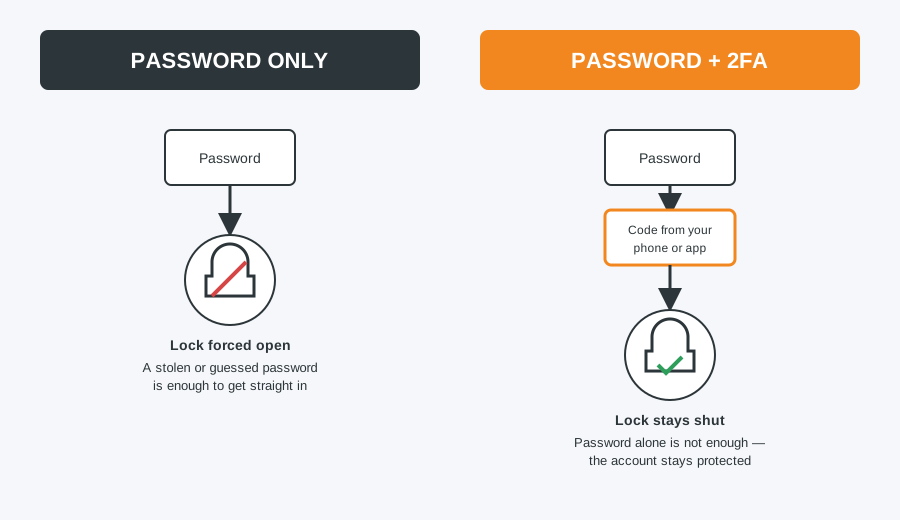
Your email account is the master key to almost everything else online — if someone gets into it, they can reset the passwords for your bank, social media and shopping accounts too. Two-factor authentication (2FA) adds a second check beyond your password, so a stolen or guessed password is not enough on its own to break in.
Why 2FA matters
With 2FA switched on, logging in from a device you have not used before needs your password plus a short code, sent to your phone or generated by an app. Even if your password is leaked in a data breach — which happens more often than most people realise — an attacker still cannot get in without that second step.
Set up 2FA on Gmail
- Go to myaccount.google.com and sign in.
- Select Security from the left-hand menu.
- Under “How you sign in to Google,” select 2-Step Verification and click Get started.
- Confirm your password, then choose how you want to receive codes — a prompt on your phone is the easiest, or a text message.
- Follow the on-screen steps to confirm your phone number, then click Turn On.
Set up 2FA on Outlook / Microsoft Account
- Go to account.microsoft.com and sign in.
- Select Security, then Advanced security options.
- Under “Additional security,” turn on Two-step verification.
- Choose an authenticator app, a phone number, or an email as your second method, then follow the prompts to confirm it.
Set up 2FA on Yahoo Mail
- Go to login.yahoo.com/account/security and sign in.
- Turn on Two-step verification.
- Choose to receive codes by text message, or set up an authenticator app, then confirm the code sent to you.
Set up 2FA on iCloud Mail
- On an iPhone or iPad, go to Settings > [your name] > Sign-In & Security.
- Tap Two-Factor Authentication and turn it on.
- On a Mac, this is under System Settings > [your name] > Sign-In & Security instead.
- Codes are then sent automatically to your trusted Apple devices whenever you sign in somewhere new.
Common pitfalls to avoid
- Losing your phone. Save your backup codes somewhere safe when you set up 2FA — printed out or in a password manager, not just as a screenshot on the same phone. Without them, getting back into a locked account can take days.
- SMS vs authenticator apps. Text message codes are easy to set up but can be intercepted through SIM-swap scams. An authenticator app, such as Google Authenticator or Microsoft Authenticator, is more secure and works without phone signal.
- Trusting shared or public computers. Never tick “remember this device” on a computer that is not yours.
If your email set-up needs a wider check, our guide on IMAP vs POP3 covers getting it configured correctly across all your devices.
Locked out, or want it set up properly? We can help
If you have been locked out after turning on 2FA, or want it set up correctly across all your devices, we can sort it for you.
Computer Repair Bolton
07538 513 916
support@computer-repair-bolton.co.uk